

The Unified Developer Hub forDocker, APIs & Databases.
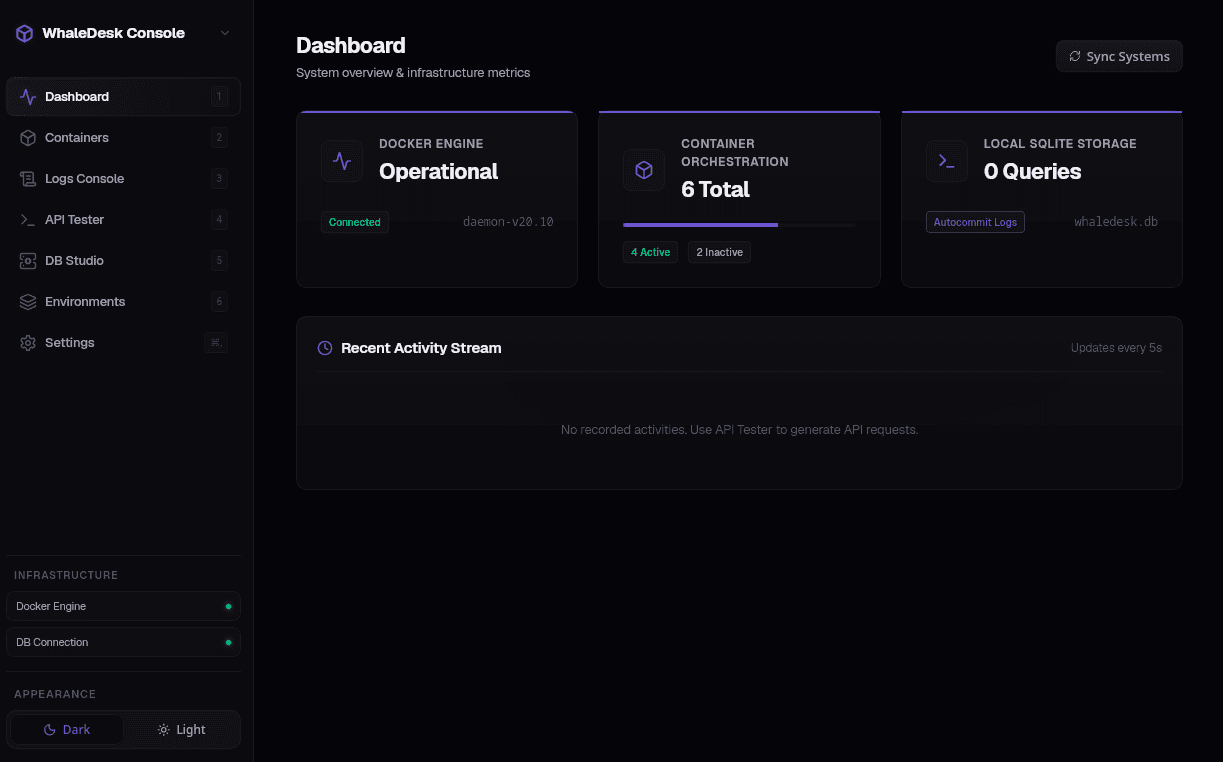
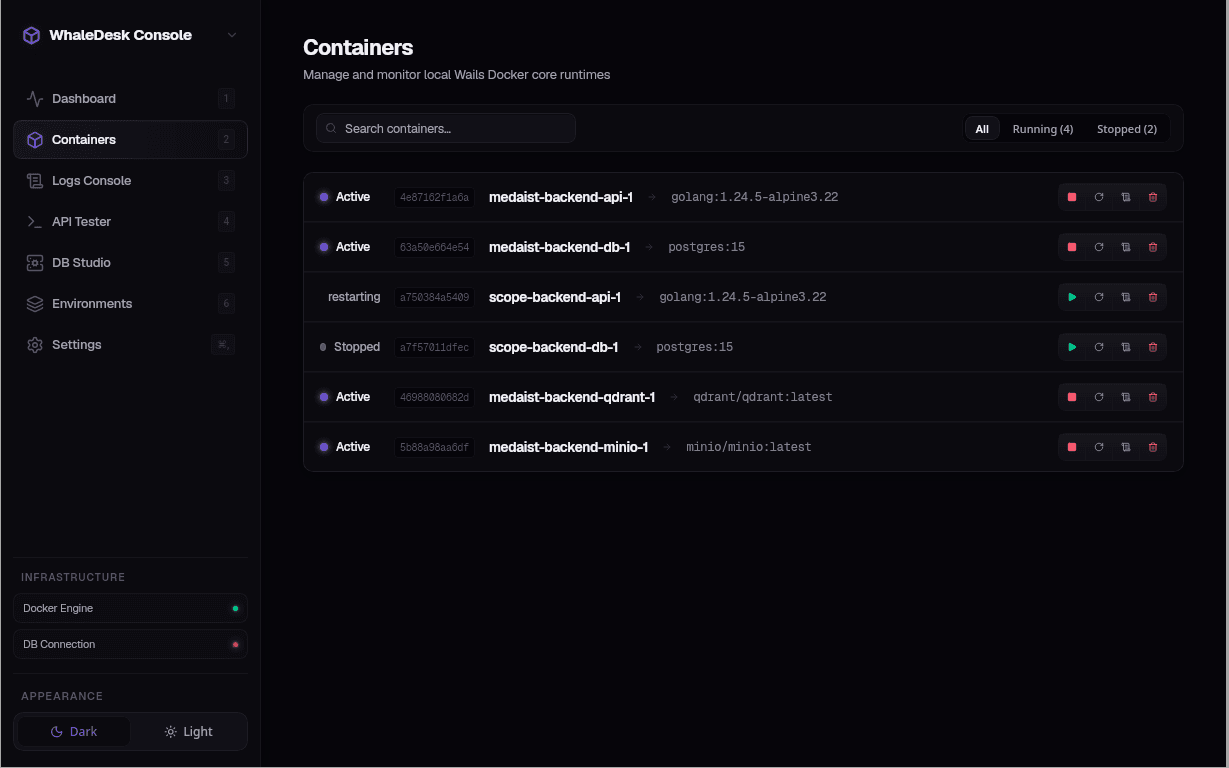
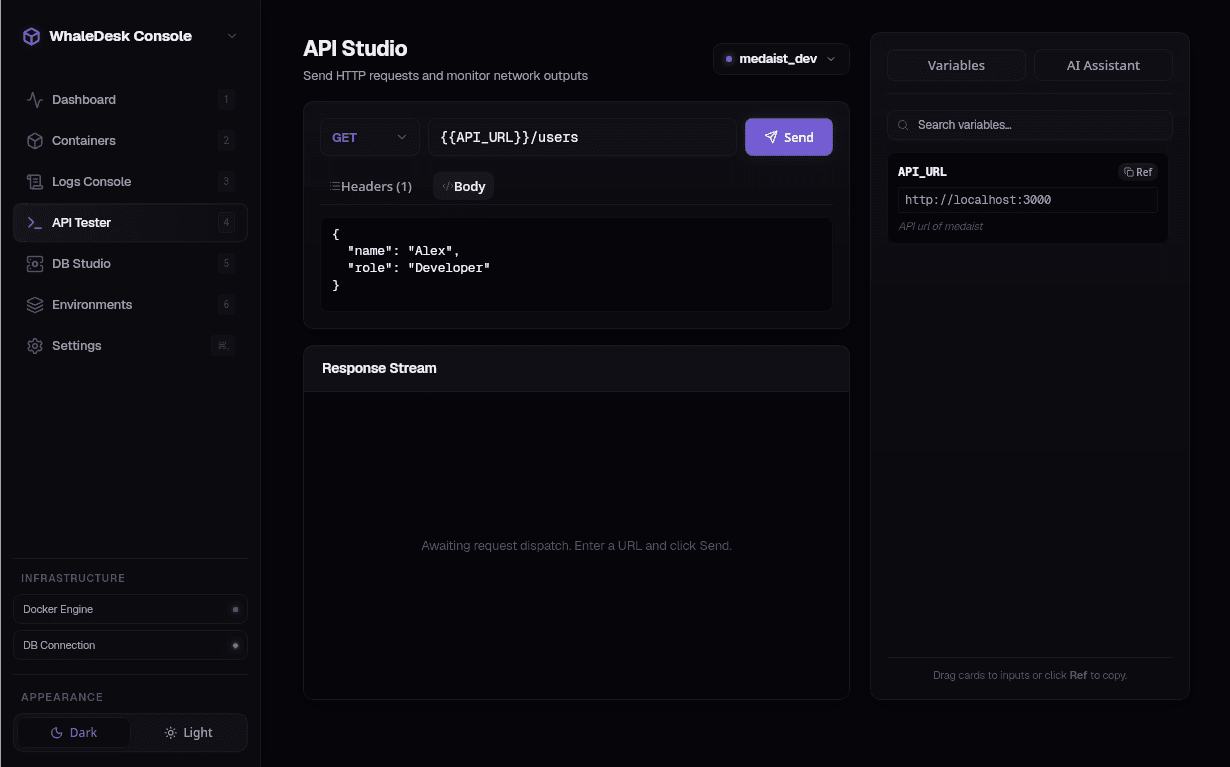
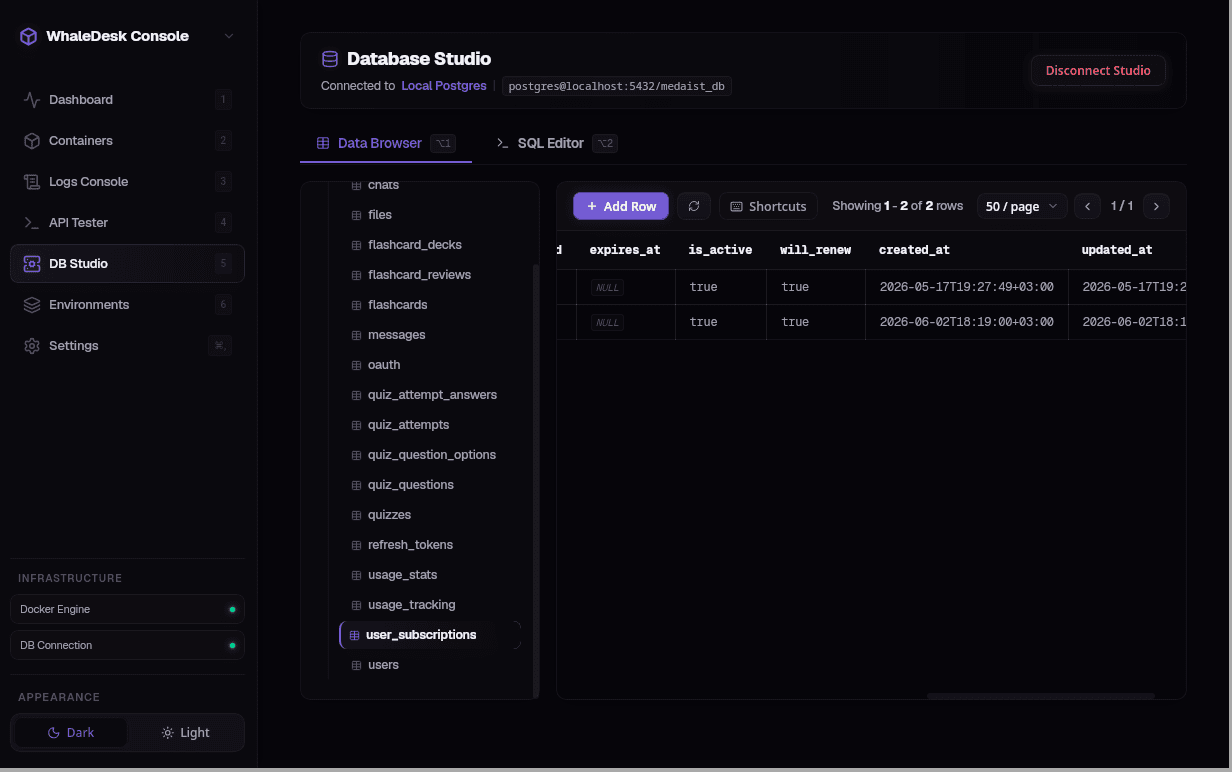
Stop context switching between heavy standalone tools. Whaledesk Desktop integrates container dashboard monitoring, endpoint query testing with environment variables, and PostgreSQL databases into a single local-first native workspace.
“Real-time overview of Docker daemon health, active containers, and resource statistics.”
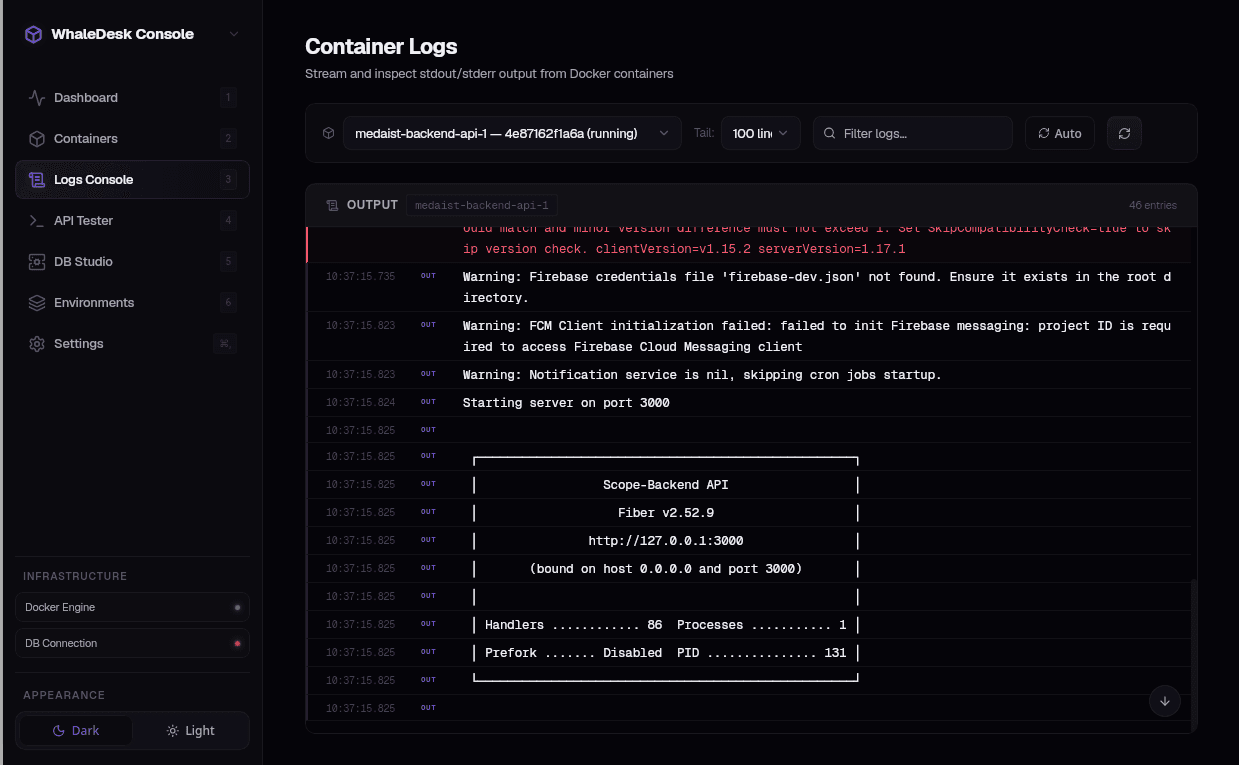
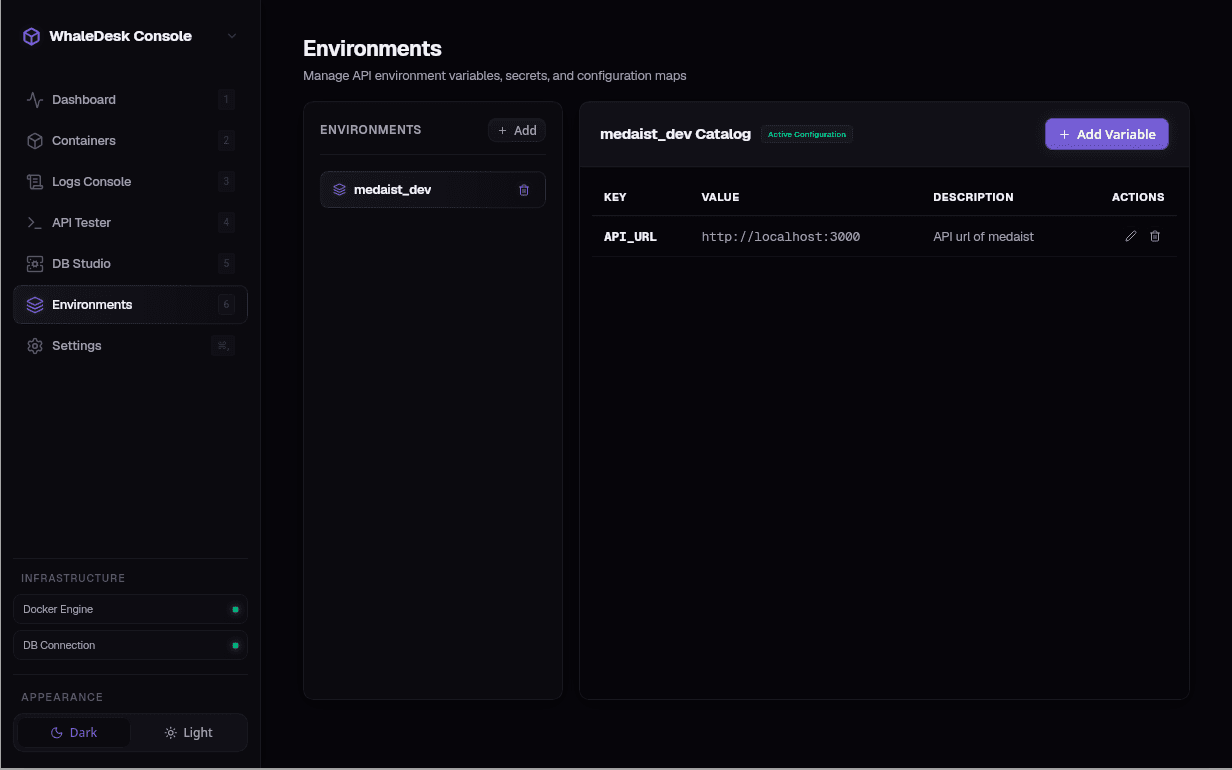
Interactive Sandbox
Test Drive Whaledesk Right Now
Experience the core functionalities of the desktop application directly in your web browser. Switch tabs below to interact with our mock container manager, AI generation client, or SQL execution console.
Core Utilities
Designed for Modern Devops & APIs
Whaledesk consolidates separate development programs into a unified interface, speeding up daily local workloads while safeguarding environment data.
Docker ControllerDocker Engine
Monitor daemon health, start/stop containers, stream logs, pull raw images directly from Docker Hub, and prune unused images.
AI API BuilderAI Powered
Instantly compile complex REST collections (endpoints, parameters, headers) from plain English documentation using AI prompts.
PostgreSQL DB ClientSQL Console
Connect to databases, browse schemas, inspect table definitions, and execute raw query transactions in an interactive SQL terminal.
Encrypted Secrets StoreKeyring
Secure environment variables. Sensitive key values are encrypted at rest using AES-256-GCM, with keys stored in the native OS keyring.
SQLite Logs & History
Keep query logs and API request history stored locally. All metadata is kept inside a lightweight, local database. No cloud sync required.
Tactile Themes
Enjoy dark and light theme toggles that seamlessly sync with your OS preferences. Tactile controls crafted for deep-work developer sessions.
Secure by Design: Local-First Credential Locking
Whaledesk does not transmit variables or parameters to a remote server. Secret values are heavily encrypted utilizing the **AES-256-GCM** cryptography standard. The encryption key is dynamically requested and stored in your operating system's native keychain (such as Linux Gnome Keyring, macOS Keychain, or Windows Credential Locker) ensuring zero-plaintext leaks.
Performance Audit
Architected for Minimal Resource Impact
By swapping Electron for Wails v2 + Go and using your OS's native web view engine, Whaledesk operates with less than a tenth of the memory required by traditional developer tools.
| Capability / Metric | 🐳 Whaledesk Desktop | Electron Apps (e.g. Postman) | SaaS Web Tools |
|---|---|---|---|
| Memory Footprint (Idle) | ~32 MB | 350 MB - 1.2 GB+ | N/A (Browser Tab) |
| Cold Start Time | < 0.8s | 4s - 12s+ | N/A |
| Security & Encryption | AES-256-GCM + OS Keyring | Plaintext config files | Cloud Sync DBs (Vulnerable) |
| Offline Functionality | 100% Native (Local-First) | Limited (Sync Warnings) | Requires active internet |
| Feature Coverage | Docker + API + PostgreSQL | Separate apps required | API Testing only |
Lightweight Architecture
A Native Desktop App Without Electron Bloat
Built on Go and Wails v2, Whaledesk does not pack an entire Chromium browser inside its distribution. Instead, it utilizes your system's native web engine (Webview2 on Windows, WebKit on macOS, and WebKitGTK on Linux) to achieve extremely fast load times and minimal resource usage.
> running Vite frontend watcher on http://localhost:34115...
> desktop application compiled: ./build/bin/whaledesk (32MB)
Developer FAQ
Frequently Asked Questions
Everything you need to know about Whaledesk's security architecture, native compatibility, and data handling.